Follower Tab
This post is also available in:


Opening links from web pages in a Follower Tab allows you to explore the link content in a separate tab without loosing sight of the original tab.
Create a Follower Tab
To open the first link as a follower tab:
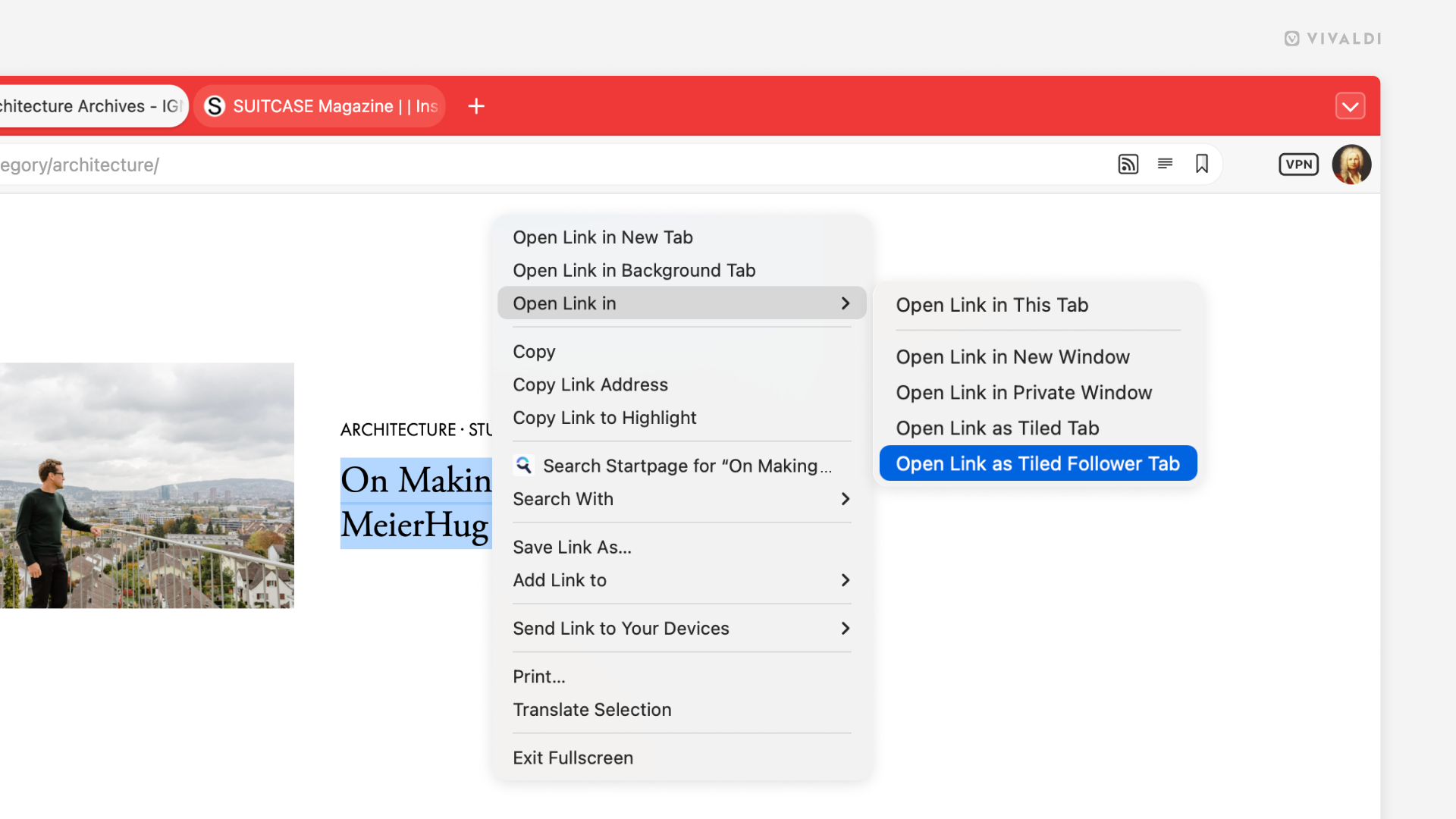
- Right-click on a link on a web page.
- Hover over the Open Link in option to open the sub-menu.
- Select Open Link as Tiled Follower Tab.
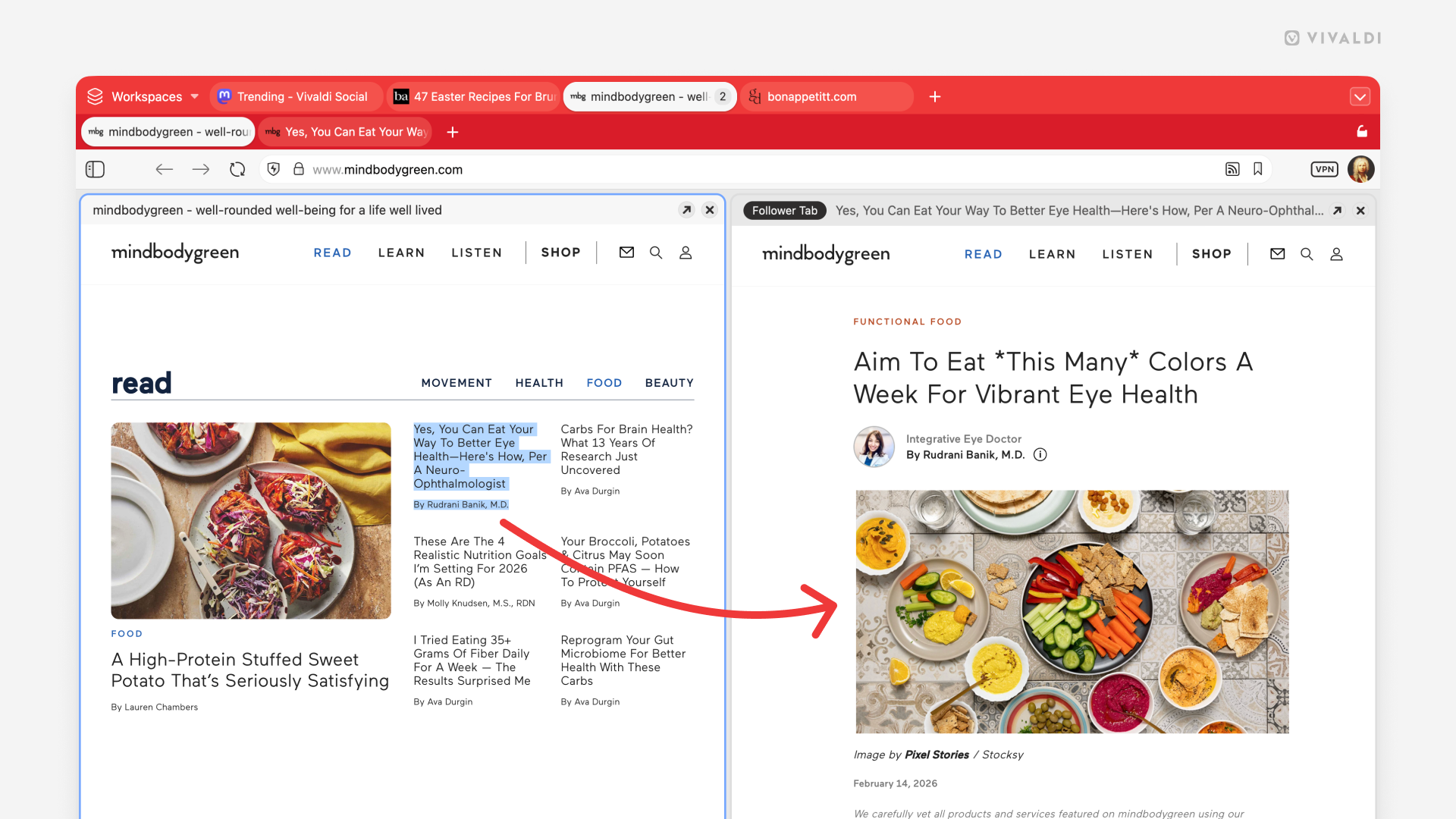
It creates a tiled view with the anchor tab on the left and the Follower Tab on the right.
Open a link in a Follower Tab
To open other links in the Follower Tab, simply click on a link on the web page as if you wanted to open it in the active tab. While the Follower Tab is open, the link will open in the other tile, replacing the previous page you had open in it.
One thing to note is that, depending on how pages and content display has been implemented on the website, the Follower Tab feature may not not work on every website.
Was this helpful?
Thanks for your feedback!