Forum moderation and reporting inappropriate content
Dit bericht is ook beschikbaar in:


Flag a post for moderation
To flag posts that break our Code of Conduct:
- Click on the
 post menu on the right side of the post;
 - Select Flag This Post for Moderation;
- Pick a category: Spam, Offensive or leave a short comment, why you think the post is inappropriate for the forum.
- Click Submit Report.
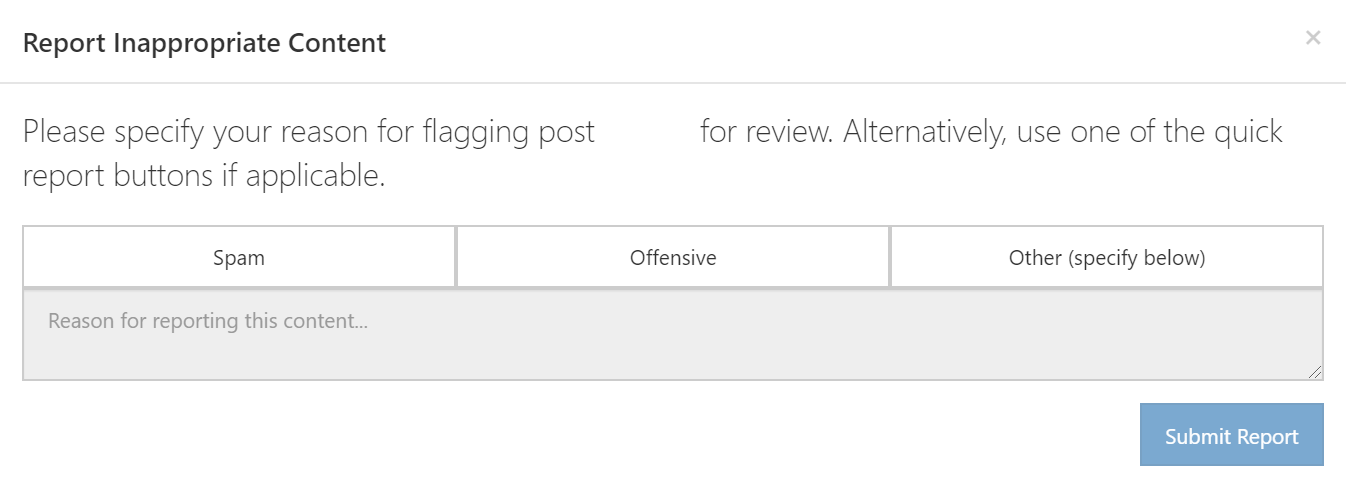
Forum admins and moderators will review the flag and decide what to do next.
Moderation
The Vivaldi Forum is moderated by Community Managers (Vivaldi employees) and Moderators (volunteers). They can move your topics if there’s a better category for them and they may also edit your post to clarify a point and/or remove parts that are not in line with our Community Guidelines and Terms of Use.
Community Managers and Moderators also have the right to delete inappropriate and duplicate posts, as well as, ban users either temporarily or permanently, who have broken the aforementioned rules and guidelines.
In case you have any questions or complaints regarding moderation, please contact one of the Community Managers in a private message on the Forum or through the contact form below.