Saved Sessions
This post is also available in:


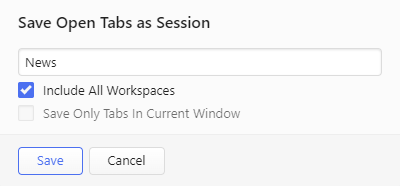
Vivaldi allows you to save your current open tabs as a named “session” and access them again later. This allows you to open the set of tabs included in a session with one click whenever you need or when the browser starts.
Saving a session
To save all open tabs in either one or multiple windows as a session, either:
- Open the
 Vivaldi menu > File > Save Open Tabs as a Session.
 - Click on Save Tabs as Session in the Sessions Panel.
- Type “Save All Tabs as Session” in Quick Commands.
- Create a Keyboard Shortcut or a Mouse Gesture for the action.
To save only some tabs as a session, use the Ctrl/⌘/Shift key to make a selection and:
- Right-click on one of the selected tabs and select Bookmark and Save > Save as Session from the context menu.
- Type “Save Selected Tabs as Session” in Quick Commands;
- Create a Keyboard Shortcut or a Mouse Gesture for the action.
Opening a saved session
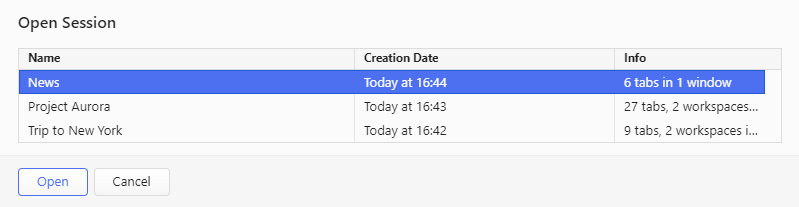
To open a saved session:
- Go to the Vivaldi menu > File > Open Saved Session.
- Double-click on a saved session in the Sessions Panel.
- Start typing “Open Saved Sessions” in Quick Commands.
- Create a Keyboard Shortcut or a Mouse Gesture for the action.
Sessions Panel
A convenient and powerful way to manage your Sessions is using the Sessions Panel. Learn how to use it here.
Was this helpful?
Thanks for your feedback!