Tab Selection
This post is also available in:


Tab selection can be used to perform actions against a group of tabs, such as Stacking, Tiling, Bookmarking, Pinning, etc.
There are 4 different ways to select tabs on Vivaldi’s Tab Bar and in the Windows and Tabs Panel.
Mouse + modifier key
- Hold down the Shift key to select multiple tabs in a row or Ctrl/⌘ key to select tabs that aren’t necessarily next to each other.
- While you hold down the key, click on the tabs you want to select.
Quick Commands
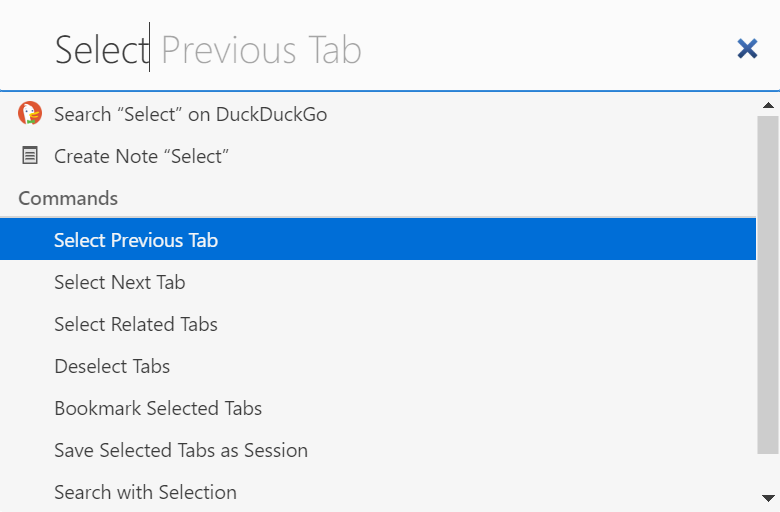
Open Quick Commands (F2/⌘ E) and start typing either: Select Previous Tab, Select Next Tab, Select Related Tabs or Deselect Tabs to execute the command.
Keyboard Shortcuts
In Settings > Keyboard > Tabs you can configure new Keyboard Shortcuts for selecting and deselecting tabs.
Mouse Gestures
If you prefer Mouse Gestures, create gestures for tab selection in Settings > Mouse > Gesture Mapping.
Was this helpful?
Thanks for your feedback!