Report crashes on macOS
This post is also available in:


A “crash” occurs when Vivaldi encounters an unrecoverable error and shuts down unexpectedly or a tab’s contents disappear and are replaced with a “dead bird” image. Information pertaining to the crash is logged by Vivaldi.
Enable automatic crash reporting
When you enable automatic crash reporting, we will receive the crash logs automatically. You can enable crash reporting during the welcome flow after installing the browser, or any time in Settings.
To enable automatic crash reporting:
- Go to Settings > Privacy and Security > Privacy > Crash Reporting.
- Enable Allow Vivaldi to Send Automatic Crash Reports.
Provide additional information
By adding context to the crash, the team will have an easier time fixing the bug that’s causing the crash. You can do that by filing a bug report that gets linked to your crash log.
To file a bug report about the crash:
- Go to vivaldi:crashes.
- Look for a crash log that was created around the time you witnessed the crash.
- Click on Provide additional details.
You’ll be taken to our bug report page, where the crash’s ID is already prefilled in the Summary field. - Fill out the form with information you think is relevant to the crash, such as steps to trigger the crash.
- Submit the bug report.
Manual crash reporting
To locate your crash log files open Finder and use the menu “Go → Go to folder” or the keyboard shortcut “⇧⌘G” and then paste this line:
~/Library/Application Support/Vivaldi/Crashpad
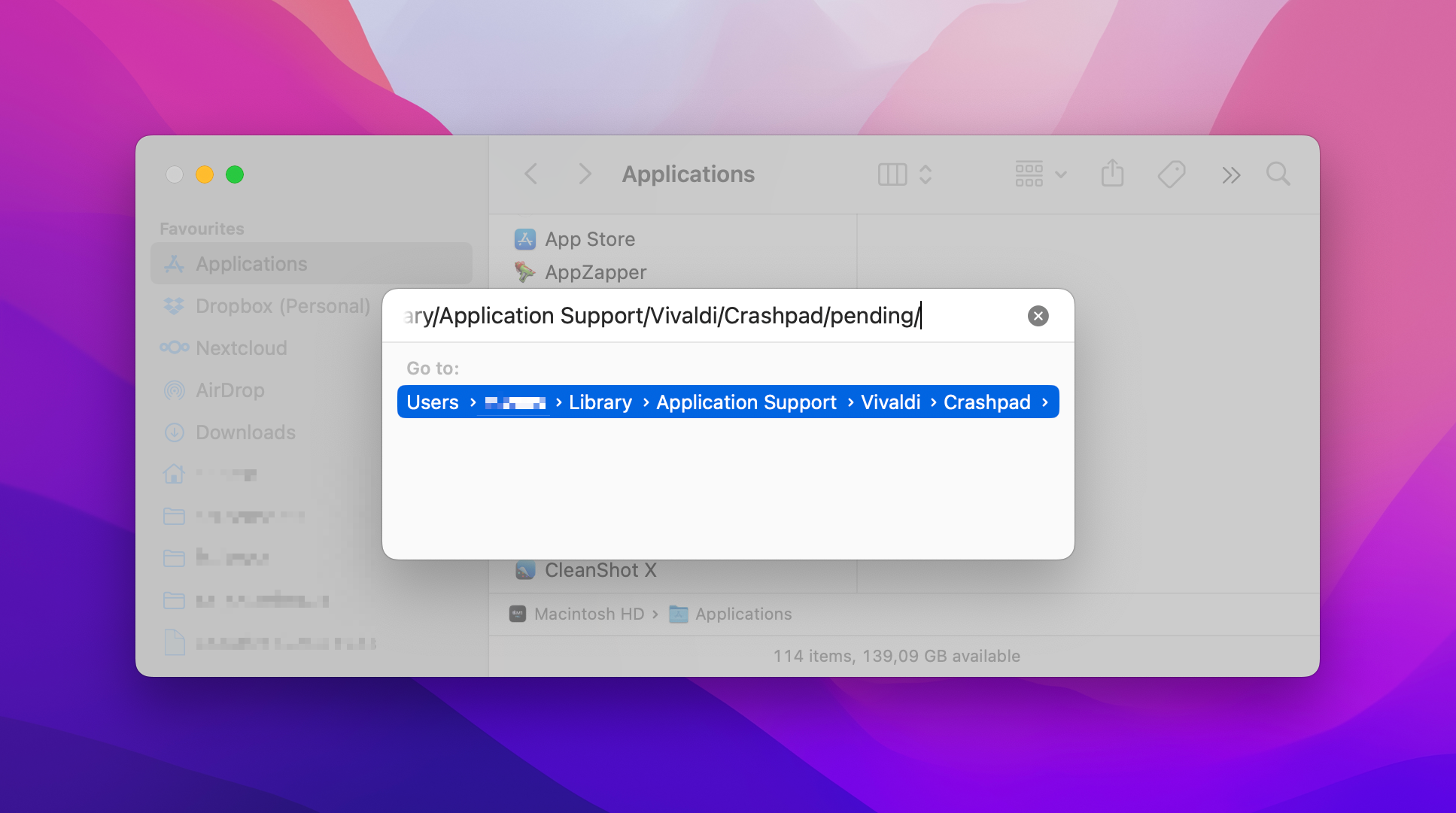
Here you will find all your crash log files (.dmp) under the pending or completed sub folders. Sort the folder contents by date and only send the very most recent one(s) because they can only be processed if we know exactly which version of Vivaldi they are from. To save space you might want to compress them and send them inside a zip archive.
Alternatively, you can do the following:
- Launch the “Terminal” application—open “Spotlight”, type: Terminal
- Copy and Paste the following text into the Terminal window and press “Enter”—triple click to select
find ~/Library/Application\ Support/Vivaldi/Crashpad -newer /Applications/Vivaldi.app -name \*.dmp | zip -j ~/Documents/Vivaldi\ Crash\ Logs\ $(date '+%Y%m%d-%H%M') -@ - Now open your “Documents” directory or type the following into “Terminal”
open ~/Documents/ - You will find a dated “Vivaldi Crash Logs” zip file that you can attach to your bug report
Then, go to vivaldi.com/bugreport and fill out the form with details about the crash and attach the crash log file to the report.